LifelockLifeLock Cost: What You Pay, Year One and Renewal Explained
LifeLock Cost: What You Pay, Year One and Renewal Explained
The short answer
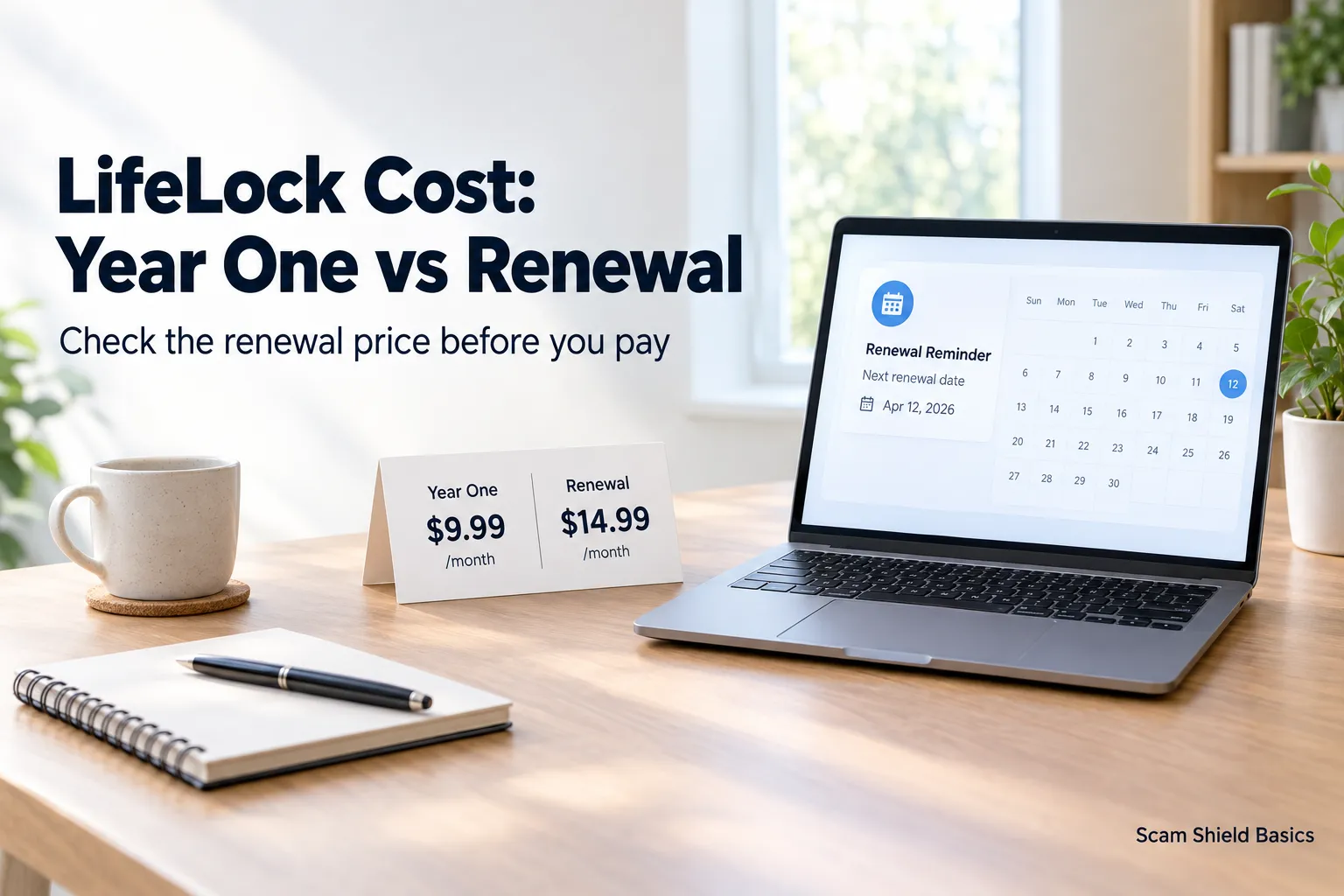
LifeLock's individual plans cost about $12.49 to $34.99 a month, and family plans run higher. Most plans are cheaper per month when you pay for the year up front, but the first-year price is usually lower than the renewal price. The renewal rate is what you pay in later years, so compare the two before buying.
Some links on this site are affiliate links: if you buy through one, the site may earn a commission at no extra cost to you. More about this.
If you have ever opened a breach notice and wondered what it means for your money, you already know the feeling. The prices on the page look simple. The bill a year later often is not.
This guide walks through what you actually pay in year one and what the renewal looks like, so you can check the real annual cost before you hand over a card number. Here is what it covers:
- Plan tiers and monthly prices: what each level includes and where the price jumps.
- Year-one versus renewal pricing: why the first bill and the second bill can differ.
- Monthly versus annual billing: when paying up front actually saves you money.
- Family plan costs: how the price changes when more people are covered.
- Free alternatives: what you can already do at no charge before paying.
Reviews from other people are mixed on whether the upper tiers are worth the difference, and I will point to where those views disagree. Scam Shield Basics is an identity and scam protection site, and everything here is about helping you judge the cost against what you need.
LifeLock Plan Prices at a Glance
LifeLock offers several plans, and the price depends on which tier you choose, how often you pay, and whether you are signing up for yourself or for a household. The figures below are what listings and reviewers have reported, but prices change. Always confirm the current amounts on the official LifeLock site before you buy.
What does each tier cost?
Check these tiers against the current price list:
- Individual: the lowest-priced tier, covering one person.
- Couples: covers two adults at a higher rate than individual.
- Family: covers a household at the highest rate.
Pricing for each tier usually shows a monthly figure and an annual figure. Write both down so you can compare them.
Is monthly or annual billing cheaper?
Annual billing usually works out lower per month than paying month to month, but you pay the full year up front. Multiply the monthly price by twelve and compare it with the annual price to see the difference for each tier. Keep in mind that the renewal rate may differ from the first-year rate, so check what you will pay when the term rolls over.
Are there senior or AARP prices?
Some listings mention reduced pricing for seniors or AARP members. Eligibility rules and rates can change, so confirm both directly with LifeLock before you assume a discount applies to you.
Monthly prices reported for each tier
| Plan | Monthly price | Bureaus monitored |
|---|---|---|
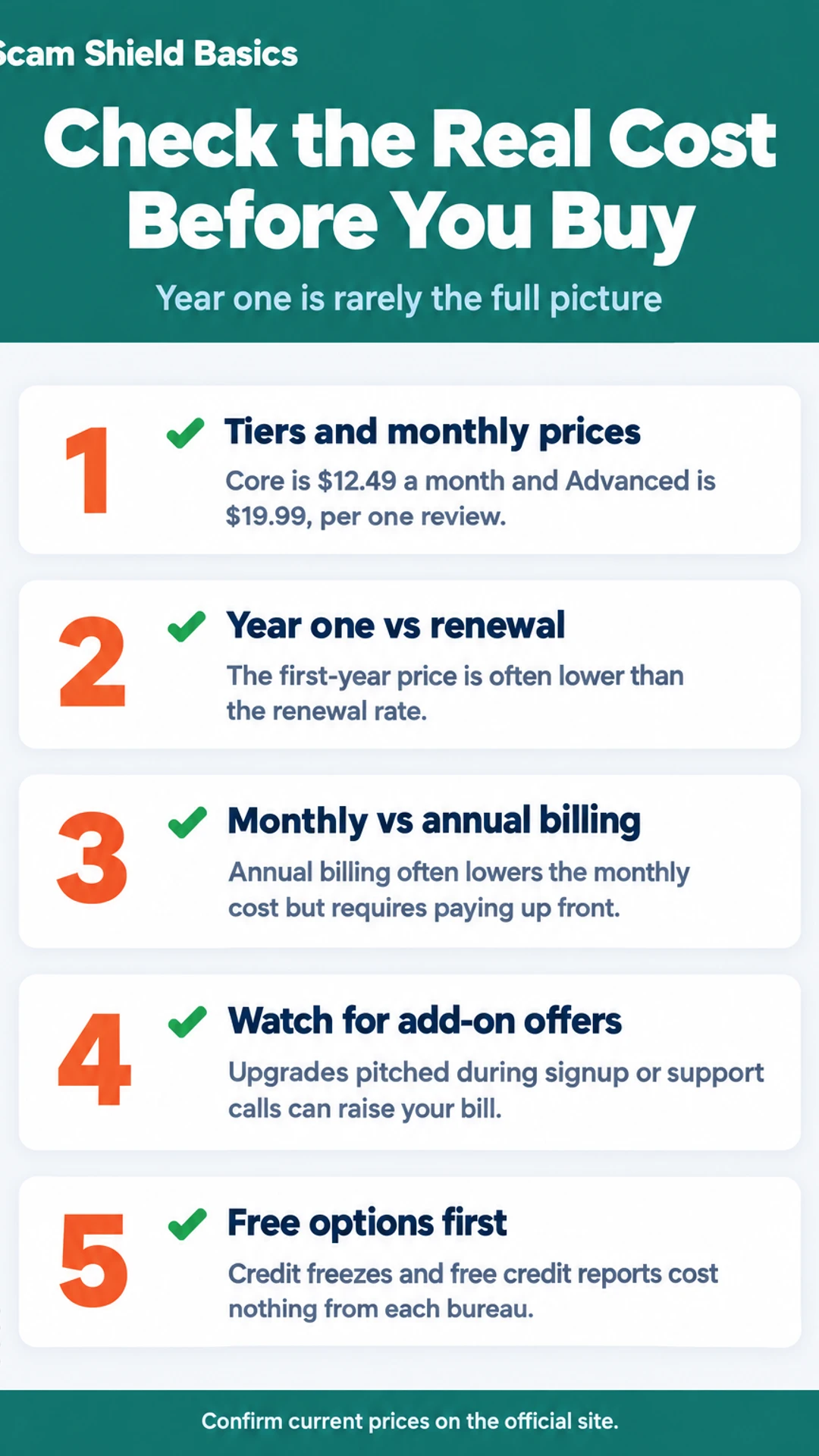
| Core | $12.49 | Two of three |
| Advanced | $19.99 | Three of three |
| Ultimate Plus | Not stated | Not stated |
First-Year Price Versus Renewal Price
The price you see on the sales page is usually the first-year price, and it is often not the amount you will pay for long. Before you buy, look at what the plan costs after the first year. That number is the one that decides whether the service is affordable over time.
Here is a simple way to see the jump. Say a plan is advertised at a lower introductory rate for the first year, then renews at a higher monthly rate. Multiply each rate by 12 and compare the two totals. The gap between year one and year two is what you will actually be deciding on.
Where to find the renewal price:
- The checkout page. Look for small print under the price, often marked "renews at" or "then."
- The terms of service. Search the page for "renew" or "automatic renewal."
- Your confirmation email. It usually lists the renewal date and amount.
Before you enter payment details, write down the plan name, the first-year price, the renewal price, and the renewal date. Then set a reminder on your phone for a few weeks before the renewal date. That gives you time to decide whether to keep the plan, switch tiers, or cancel without being charged the higher rate by surprise.
What Each Tier Adds for the Extra Money
Most people looking at LifeLock cost want to know one thing: does the higher price get you anything you need? The answer depends on which bureaus you care about and whether you want the bundled antivirus.
LifeLock sells its plans in tiers, and the differences are mostly about how much credit monitoring you get. Here is how the three main plans compare on the points reviewers raised most often:
- Core: Monitors two of the three credit bureaus, plus alerts and basic identity monitoring. One reviewer in the Opt Out Project's testing noted it costs $12.49 a month.
- Advanced: Adds the third credit bureau. That same review listed it at $19.99 a month.
- Ultimate Plus: Adds more insurance and restoration help on top of Advanced.
Why does three-bureau monitoring cost more?
Finance Pulse, in its LifeLock walkthrough, said the credit lock covers only TransUnion. The Tech Roost objected to gating full three-bureau monitoring behind the higher tiers, and said premium coverage costs two to three times more than comparable options. The Opt Out Project made the same point about Core. If you want all three bureaus watched, you have to pay for the tier that includes them.
Is the Norton 360 bundle worth the extra money?
The bundle adds antivirus and a VPN. The Tech Roost called these real strengths, and said the antivirus does not slow the computer down. If you already need antivirus, that can be a fair trade. If you do not, you are paying for software you may not use. Check whether you would buy the security software separately before you pick a bundle.
Costs That Are Easy to Miss
The headline price is rarely the whole bill. Once you sign up, a few things can push the real annual cost up, and most of them show up after you have already started.
Will the offers during signup and support calls add to what I pay?
They can. During signup and when you call support, you may be offered upgrades to a higher tier, extra coverage or add-on services. In one reviewer's experience, a LifeLock representative would not let them hang up before pitching a coverage upgrade. In the Opt Out Project's review, the tester reached support quickly but was pitched an upgrade during the call.
Before you agree to anything:
- Ask for the total price per month and per year, including the upgrade.
- Ask whether the offer renews, and at what rate.
- Say no and confirm the plan you already chose is still active.
- Check your account and your next statement, since an add-on can be added without you noticing.
What fees or add-ons are in the terms but not the headline price?
Read the terms before you pay. Look for separate charges for add-on services, higher tiers needed to unlock features, and any fees tied to specific services. Plans differ in what they include. For example, the Opt Out Project found that LifeLock Core monitors only two of the three credit bureaus, and three-bureau monitoring requires the Advanced tier. The price you see first may not cover the protection you want.
What happens to billing when a free trial ends?
If the offer includes a free trial, billing usually starts automatically when the trial ends unless you cancel first. Write down the end date when you sign up. Set a reminder a few days before it, and check your statement afterward to confirm the charge is gone. If you are unsure whether you were billed, contact the company and ask for a written confirmation of cancellation.
Is the Price Worth It Compared With Free Options?
Before you pay for anything, know what you can already do at no cost. You can freeze your credit with each of the three bureaus, Equifax, Experian and TransUnion. A freeze stops new accounts from being opened in your name, because lenders check your credit report before approving one. You can also pull your free credit reports from each bureau, and you are entitled to them at no charge. Neither of these costs anything, and together they cover a lot of the basic risk.
What free tools do not do is watch for problems on your behalf. A freeze blocks new credit, but it does not tell you when your data shows up on the dark web, and it does not help you sort out the paperwork if someone uses your identity. Free reports only show you what is there the day you check.
Paid plans can add value in a few specific places:
- Alerts when your information appears in data breaches or on the dark web
- Ongoing monitoring that tells you about new accounts or inquiries as they happen
- Help handling recovery paperwork with banks and bureaus after identity theft
- Insurance or reimbursement for some costs, though the amounts and conditions vary, so read the terms
Here is a plain test. If you have a specific worry, such as a breach notice or a scam that already got through, and the paid features address it, compare the yearly price to that need. Ask whether you would actually use the alerts or the recovery help. If you would, the cost may be reasonable. If you would not, a free freeze and regular free reports may be enough. Check the renewal price too, since it is often higher than the first-year offer.
Free options compared with paid plans
| Option | What it does | Limitation |
|---|---|---|
| Credit freeze | Blocks new accounts in your name | Does not send alerts or help with paperwork |
| Free credit reports | Shows what is on file that day | Does not watch for changes |
| Paid plan | Alerts, ongoing monitoring, recovery help | Renewal rate often higher than year one |
How to Check the Real Cost Before You Buy and How to Cancel
Before you enter any card details, check four things. Write them down if that helps.
- The plan. Which tier are you buying, and what does it include? Tiers differ, and the cheaper one may not cover all three credit bureaus.
- The billing period. Is it billed monthly or once a year? A low monthly figure can add up to more than you expect over twelve months.
- The renewal price. The first-year offer is often lower than what you pay after. Find the renewal rate on the official LifeLock or Norton page, not just the sign-up screen.
- The cancellation process. Find out how to cancel and whether you can do it online or have to call.
Prices change, so confirm every figure on the official LifeLock or Norton site on the day you buy. Do not rely on a number you saw in an ad or a video from last year, including the ones mentioned here.
What should I ask for before I cancel?
Cancel before the renewal date, and keep proof. Ask for the cancellation in writing, with a confirmation number and the date it takes effect. Ask whether a refund is offered, and if so, the terms: how long you have, whether it covers the full amount or only part, and whether it applies to renewals or only the first purchase.
Also ask whether turning off the service removes the credit lock or alerts right away. Some reviewers have found that cancelling switches off the lock. A legal credit freeze you placed yourself with the bureaus stays in place, so check that separately.
What hands-on reviewers found
These are other people's hands-on tests, summarised and credited to them. Watch the full videos for their complete reviews.
Finance Pulse: LifeLock Tutorial 2026: Full Setup Walkthrough & Honest Review 🛡️
The reviewer thinks LifeLock is worth paying for mainly for its automated data broker removal and alerts, while noting it has real gaps: the credit lock covers only TransUnion, Core lacks scam coverage, and cancelling does not lift the lock
- The whole LifeLock setup took about 20 minutes, covering plan selection, signup, credit locking, alerts and monitoring. (at 0:18)
- Connecting a bank account through Plaid took about 30 seconds per account, and the reviewer says it needs no further attention afterward. (at 1:36)
- The reviewer says the credit lock and payday loan lock can be toggled from a phone, which matters when someone is at a car dealership. (at 2:45)
The Tech Roost: Lifelock Review - Here’s Who It’s Actually For
The reviewer thinks LifeLock is a legitimate product but suited only to a specific buyer who wants the Norton name, antivirus and VPN and will pay more for them, and considers Aura the better fit for most people.
- Compared to the rest of the category, LifeLock has real strengths: brand recognition, a strong VPN, and antivirus from the Norton ecosystem that does not slow the computer down. (at 0:34)
- In side-by-side testing that simulated a credit check or major purchase, LifeLock consistently came in last on alert speed, with the reviewer citing 2 to 3 minute alerts for modest services. (at 2:59)
- During the reviewer's first on-camera LifeLock signup call about a hypothetical problem, the representative would not let them hang up before pitching a coverage upgrade. (at 4:20)
Frequently asked questions
Is LifeLock really worth having?
It depends on what you want covered. LifeLock adds monitoring, alerts and recovery help on top of free tools like credit freezes and free credit reports. Reviewers in the hands-on videos we looked at were split: some valued its automated data broker removal, while others found its alerts slower and its top tiers costly. Compare the tier you need against the free options before paying.
Does LifeLock protect your social security number?
LifeLock watches for your Social Security number appearing in places it should not, such as dark web listings or new credit applications, and sends alerts when it does. It does not stop someone from using a number they already have. A credit freeze with each bureau is the step that blocks new credit in your name, and you can place one yourself for free.
Is there a better option than LifeLock?
It depends on your situation. Free tools like credit freezes, fraud alerts and free credit reports cover a lot of the basics. For monitoring, reviewers in the videos we looked at compared LifeLock with other services, and some preferred Aura for three-bureau coverage and simpler pricing. Check each service's current tiers and what they include before choosing.
Does LifeLock have a senior discount?
We have not confirmed whether LifeLock offers a senior discount, and the offer page we checked does not mention one. Ask LifeLock directly before you sign up, and ask whether any discount applies to the first year only or also at renewal, since the renewal price is often what matters most.
What does LifeLock cost in the first year and at renewal?
The price depends on the tier you choose, and a first-year rate can differ from the renewal rate. In one review, LifeLock Core was listed at $12.49 a month and Advanced at $19.99 a month. Prices change, so check the current rates and the renewal terms on LifeLock's site before you buy.
Wrapping up
Most people do not need the most expensive LifeLock tier. Start with the free credit freezes and reports, then decide whether ongoing alerts and recovery help are worth a monthly fee. Look closely at the renewal price before you pay. Have you compared LifeLock's tiers against free tools? Share what you found in the comments.